
ChatGPT vs Gemini
Content Creation
Table of Contents
ChatGPT vs Gemini is one of the most common questions for bloggers, marketers, YouTubers, social media creators, freelancers, and businesses using artificial intelligence to create content.
Both AI platforms can help with writing, brainstorming, research, editing, content planning, image creation, and other creative tasks. However, they approach content creation differently and can fit different workflows.
In 2026, the choice is no longer simply about which AI can write a blog post. Modern AI assistants can work with files, research information, generate visual content, create documents, and connect with other tools.
So, which is better for content creation: ChatGPT or Gemini?
The answer depends on what you create, which tools you already use, and the type of workflow you want.
This detailed ChatGPT vs Gemini comparison examines their strengths, weaknesses, content creation features, SEO usefulness, research capabilities, writing workflows, and practical use cases.

ChatGPT vs Gemini: Quick Comparison
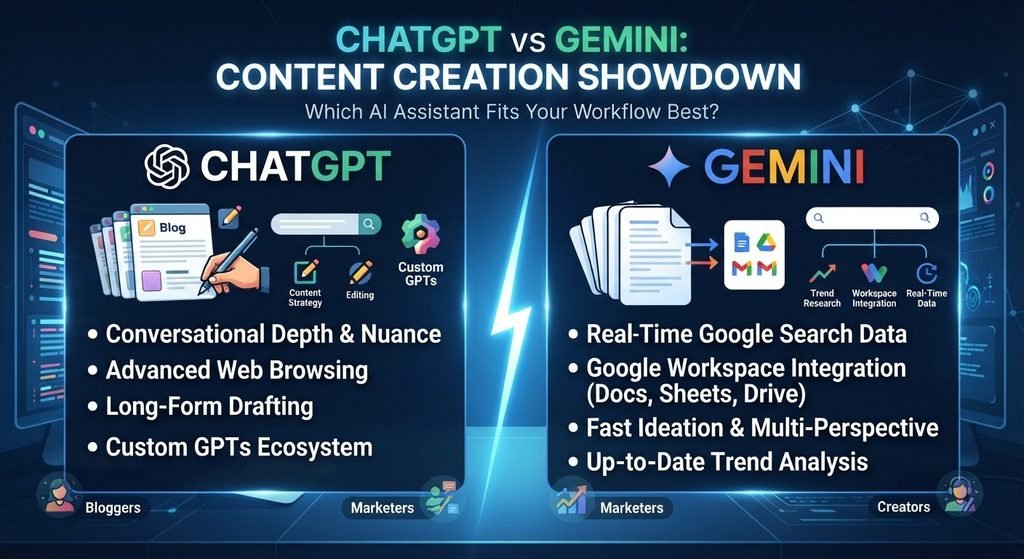
Before looking at each platform in detail, here is a quick overview.
| Feature | ChatGPT | Gemini |
| Blog writing | Excellent | Excellent |
| Content brainstorming | Excellent | Excellent |
| SEO content planning | Strong | Strong |
| Long-form writing | Strong | Strong |
| Editing and rewriting | Strong | Strong |
| Research | Strong | Strong |
| Google ecosystem integration | Available through connected tools | Excellent |
| Google Docs workflow | Available through tools/workflows | Excellent |
| File analysis | Yes | Yes |
| Image creation | Yes | Yes |
| Video-related creation | Strong ecosystem | Strong ecosystem |
| Document generation | Yes | Yes |
| Social media content | Excellent | Excellent |
| Content repurposing | Excellent | Excellent |
| Best for Google Workspace users | Strong | Particularly convenient |
| Best choice for every creator | Depends on workflow | Depends on workflow |
The important point is that there is no universal winner for every type of content creator.
What Is ChatGPT?
OpenAI’s ChatGPT is an AI assistant designed for tasks such as writing, brainstorming, analysis, coding, research, document work, and creative workflows.
For content creators, ChatGPT can be used throughout the entire content production process.
For example, a blogger can use it to:
- Find content ideas
- Create article outlines
- Develop headlines
- Write introductions
- Expand sections
- Rewrite paragraphs
- Improve readability
- Create FAQs
- Generate social media posts
- Create image concepts
- Repurpose articles into videos or posts
- Analyze uploaded documents
- Build content workflows
OpenAI currently positions ChatGPT as a creative partner for content workflows, including planning, reports, designs, writing, and other deliverables.
ChatGPT can also work with uploaded files, allowing creators to analyze documents, PDFs, spreadsheets, images, and other supported files directly within conversations.
This makes ChatGPT useful beyond simple text generation.
What Is Gemini?
Google’s Gemini is Google’s AI assistant and is closely connected to the company’s ecosystem.
For content creators, Gemini can help with:
- Writing
- Research
- Brainstorming
- Document creation
- Editing
- Summarization
- Presentations
- Spreadsheet work
- File analysis
- Google Workspace workflows
- Content planning
One of Gemini’s major advantages for some users is its connection with Google services.
Google has expanded Gemini’s capabilities across Docs, Sheets, Slides, Drive, and other Workspace products. For example, Gemini can help create and refine documents using relevant information from files, emails, and the web.
Gemini also offers a Canvas environment where users can create or edit documents, apps, slides, and code.
ChatGPT vs Gemini for Blog Writing
For bloggers, one of the most important questions is simple:
Which AI is better for writing blog posts?
Both can produce long-form articles, outlines, introductions, headings, FAQs, summaries, and other components of a blog post.
However, the quality of an AI-generated article depends heavily on the instructions you provide.
Instead of asking:
“Write an article about AI tools.”
A better prompt would specify:
- Target audience
- Search intent
- Primary keyword
- Secondary keywords
- Article structure
- Desired tone
- Word count
- Examples
- Tables
- FAQs
- Internal linking opportunities
- Formatting requirements
This applies to both ChatGPT and Gemini.
ChatGPT for Blog Writing
ChatGPT can be useful for creating a structured content workflow:
Keyword → Search intent → Outline → Draft → Editing → SEO optimization → FAQs → Social content
It can also help transform existing material into different formats.
For example:
One blog post can become:
- 1 YouTube script
- 5 Instagram captions
- 10 social media posts
- 1 newsletter
- 5 short-video ideas
- 1 infographic outline
That makes AI particularly useful for creators who want to build a complete content system rather than generate a single article.
Gemini for Blog Writing
Gemini is particularly interesting for creators who already work heavily inside Google’s ecosystem.
Gemini’s integration with Google Workspace can help users create documents, refine writing, and use information from connected files and other sources.
Gemini can therefore fit naturally into a workflow such as:
Google Drive → Research → Google Docs → Editing → Google Workspace
For someone who already keeps research, documents, spreadsheets, and projects inside Google services, this can reduce the need to move information between different applications.

ChatGPT vs Gemini for SEO Content
AI can help with SEO, but neither ChatGPT nor Gemini should be treated as an automatic SEO solution.
Search engines do not simply reward an article because it was written by a particular AI tool.
The real goal should be to create content that satisfies the searcher’s intent.
For example, if the keyword is:
“best AI tools for bloggers”
A useful article should answer questions such as:
- What are the best types of AI tools?
- Which tools are useful for research?
- Which tools help with writing?
- Which tools help with images?
- Which tools help with SEO?
- What are the advantages and limitations?
- Which tools are free?
- Which tools are suitable for beginners?
SEO Tasks AI Can Help With
Both platforms can assist with:
- Keyword clustering
- Search-intent analysis
- Content outlines
- H1 and H2 structures
- FAQ creation
- Meta title ideas
- Meta descriptions
- Internal-link suggestions
- Content briefs
- Content updates
- Readability improvements
- Content repurposing
However, AI-generated keywords should not automatically be treated as search-volume data.
For serious SEO research, creators should validate keywords using appropriate SEO and search tools.
ChatGPT vs Gemini for Content Research
Research is another major difference to consider.
Gemini’s Deep Research feature can conduct in-depth research using Google Search and can also use additional sources such as connected Gmail or Drive content. Google says users can create a research plan, edit it, and then generate a report based on the selected sources.
This can be useful when creating:
- Industry reports
- Research-based blog posts
- Market analysis
- Competitor research
- Educational content
- Long-form guides
ChatGPT can also support research workflows, particularly when combined with web search, uploaded files, and other connected tools.
The important rule for both platforms is:
Always verify important facts before publishing.
AI can make mistakes, misunderstand sources, or present outdated information.
For content involving statistics, laws, prices, medical information, financial information, or current events, verification is especially important.
ChatGPT vs Gemini for Social Media Content
Social media creators often need a large amount of content quickly.
For example, a single topic might require:
- Instagram caption
- Facebook post
- LinkedIn post
- X post
- YouTube Shorts script
- TikTok script
- Pinterest description
- Hashtags
Both ChatGPT and Gemini can help create these variations.
The biggest advantage is not simply generating text faster.
It is the ability to build a repeatable content system.
For example:
One Topic
“How AI can help bloggers”
Can become:
- Long-form blog post
- YouTube video
- YouTube Short
- Instagram Reel
- Instagram carousel
- LinkedIn post
- Pinterest pin
- Email newsletter
- Facebook post
- X thread
This approach allows creators to get more value from the same research.
ChatGPT vs Gemini for Content Repurposing
Content repurposing is one area where AI can save creators significant time.
Imagine you have a 2,500-word blog article.
Instead of creating every piece manually, you can ask an AI assistant to transform it into different formats.
Example Workflow
Original article
↓
YouTube script
↓
Short-form video scripts
↓
Instagram carousel
↓
LinkedIn post
↓
Newsletter
↓
Pinterest description
↓
Social media captions
The creator should still review the output and add personal insights, examples, experiences, and original information.
AI should accelerate the workflow rather than completely replace the creator.
ChatGPT vs Gemini for Images and Visual Content
Modern content creation is no longer limited to text.
Bloggers and social media creators also need:
- Featured images
- Social media graphics
- Thumbnail concepts
- Product visuals
- Illustrations
- Infographic concepts
- Marketing assets
ChatGPT includes image-generation capabilities. OpenAI announced ChatGPT Images 2.5 in September 2026, describing improvements in detail, editing precision, speed, and creative control.
Gemini also participates in Google’s broader multimodal and creative ecosystem.
For a content creator, the practical question is therefore not simply:
“Which AI makes images?”
Instead ask:
“Which platform fits my complete content workflow?”
ChatGPT vs Gemini for Video Content
Video creators can use AI for:
- Script writing
- Storyboarding
- Scene ideas
- Hooks
- Titles
- Descriptions
- Thumbnail concepts
- Short-form scripts
- Video planning
- Visual generation
Google has also expanded Gemini-powered capabilities into Google Vids. In July 2026, Google announced Gemini Omni features for generating and editing video clips using natural-language prompts and image references.
OpenAI also describes video generation as part of its broader creative ecosystem, including Sora capabilities.
For creators producing video, the best workflow may involve using different specialized tools rather than expecting one AI assistant to handle every stage perfectly.
ChatGPT vs Gemini for Google Workspace
This is an important category.
If your business already runs heavily on:
- Google Docs
- Google Drive
- Gmail
- Google Sheets
- Google Slides
Gemini can fit naturally into that environment.
Google has introduced Gemini features that can use information from files, emails, and the web to help create documents and other Workspace content.
Gemini can also generate downloadable files such as PDFs, Word documents, Excel files, Google Docs, Sheets, Slides, CSV files, Markdown, and other formats.
For businesses already deeply invested in Google Workspace, this integration can be an important part of the decision.
ChatGPT Pros and Cons for Content Creation
Pros of ChatGPT
1. Strong Writing Workflow
ChatGPT can help with brainstorming, outlining, drafting, editing, rewriting, and repurposing.
2. Flexible Content Creation
It can support many formats, including blog posts, scripts, emails, social posts, reports, and other written content.
3. Strong Creative Workflow
ChatGPT can combine text-based planning with image generation and other creative capabilities.
4. File Support
Creators can upload files and ask ChatGPT to analyze, summarize, edit, or transform them.
5. Useful for Content Systems
Rather than creating one article at a time, creators can build repeatable workflows.
Cons of ChatGPT
1. AI Output Still Requires Editing
A generated article should not automatically be published without review.
2. Facts Need Verification
AI can make factual errors.
3. Generic Prompts Produce Generic Content
The quality of the result depends heavily on the quality of the instructions and source material.
4. SEO Is Not Automatic
Using ChatGPT does not guarantee Google rankings.
Gemini Pros and Cons for Content Creation
Pros of Gemini
1. Strong Google Ecosystem
Gemini can work particularly naturally for users already invested in Google products.
2. Deep Research
Gemini’s Deep Research can use Google Search and selected connected sources to produce research reports.
3. Google Workspace Integration
Gemini can assist with Docs, Sheets, Slides, and Drive workflows.
4. Multiple Output Formats
Gemini can generate various file formats directly within the Gemini app.
5. Canvas
Gemini Canvas provides a workspace for creating and editing documents, apps, slides, and code.
Cons of Gemini
1. The Best Workflow Depends on Google’s Ecosystem
Creators who rarely use Google Workspace may not benefit as much from these integrations.
2. AI Output Still Requires Human Review
Gemini can also produce inaccurate or incomplete information.
3. Features and Availability Can Change
AI platforms are developing rapidly, and availability can vary by plan, location, language, and product version.
ChatGPT vs Gemini: Detailed Comparison Table
| Content Task | ChatGPT | Gemini |
| Blog ideas | Strong | Strong |
| Article outlines | Strong | Strong |
| Long-form articles | Strong | Strong |
| SEO briefs | Strong | Strong |
| Editing | Strong | Strong |
| Rewriting | Strong | Strong |
| Social media | Strong | Strong |
| Research | Strong | Strong |
| Google Search research | Available through tools | Strong Deep Research integration |
| Google Docs | Available through workflows | Strong integration |
| Google Drive | Available through connected tools | Strong integration |
| File analysis | Yes | Yes |
| Image generation | Yes | Yes |
| Video workflows | Strong | Strong |
| Presentations | Yes | Strong Google Slides integration |
| Spreadsheets | Yes | Strong Google Sheets integration |
| Content repurposing | Strong | Strong |
| Creative brainstorming | Strong | Strong |
The comparison shows why a simple “winner” can be misleading.
Which Is Better for Bloggers?
For bloggers, the most important features are usually:
- Research
- Outlining
- Writing
- Editing
- SEO planning
- Content repurposing
- Image creation
- Workflow automation
Both ChatGPT and Gemini can support this process.
If your workflow is primarily centered around Google Docs, Drive, Gmail, and other Google services, Gemini’s ecosystem integration may be particularly useful.
If you want a broader conversational creative workspace for brainstorming, writing, editing, analysis, visual creation, and content workflows, ChatGPT may fit that workflow well.
The best choice therefore depends on how you actually work.
Which Is Better for YouTube Creators?
YouTube creators can use either platform to help with:
- Video ideas
- Titles
- Hooks
- Scripts
- Descriptions
- Chapters
- Thumbnail concepts
- Shorts
- Content calendars
- Audience research
A useful workflow could look like this:
Step 1: Find a topic.
Step 2: Research the topic.
Step 3: Identify the target audience.
Step 4: Create a strong hook.
Step 5: Build a video outline.
Step 6: Write the script.
Step 7: Create thumbnail concepts.
Step 8: Repurpose the video into Shorts.
Step 9: Create social media posts.
The AI should assist with the process, while the creator adds personal experience, opinions, storytelling, and original insights.
Which Is Better for SEO Professionals?
SEO professionals should think beyond AI-generated articles.
A modern SEO workflow includes:
- Keyword research
- Search-intent analysis
- Competitor research
- Topical coverage
- Content structure
- Original information
- Internal links
- External references
- On-page optimization
- Content updates
- Performance monitoring
ChatGPT and Gemini can help with many of these tasks, but neither should replace actual SEO research and performance analysis.
A strong SEO article should answer the user’s question better than competing pages, not simply contain more AI-generated words.
How to Use ChatGPT and Gemini Together
You do not necessarily have to choose only one.
Many creators can use both tools as part of a broader workflow.
For example:
Step 1: Research
Use your preferred research workflow to collect reliable information.
Step 2: Content Strategy
Use AI to identify search intent, audience questions, and article structure.
Step 3: Draft
Create the first version of the article.
Step 4: Fact Check
Verify important claims using reliable primary sources.
Step 5: Edit
Improve clarity, structure, originality, and readability.
Step 6: SEO Optimization
Optimize the article naturally around the target topic.
Step 7: Publish
Add images, internal links, author information, references, and other useful elements.
Step 8: Repurpose
Turn the finished article into videos, social posts, newsletters, and other formats.
This is often more useful than treating AI as a competition between two brands.
How to Create Better AI Content in 2026
Regardless of whether you use ChatGPT or Gemini, follow these principles.
Give AI Context
Tell it:
- Who the audience is
- What the goal is
- What tone you want
- What information you already have
- What format you need
Give It Your Own Information
Original notes, experiences, examples, research, customer questions, and observations can make AI-assisted content much more useful.
Don’t Publish the First Draft
Treat the first AI response as a starting point.
Review it.
Improve it.
Add original information.
Remove unnecessary sections.
Verify facts.
Focus on Search Intent
Before writing, ask:
What does the person actually want to accomplish?
A search for:
“ChatGPT vs Gemini”
could come from someone wanting:
- A simple comparison
- A writing tool
- An AI research tool
- An SEO tool
- A business assistant
- A free AI tool
- A content creation platform
Your article should address those different needs clearly.
ChatGPT vs Gemini: Frequently Asked Questions
Is ChatGPT better than Gemini for content creation?
Neither platform is universally better for every content creator. Both can write, research, edit, analyze information, and support creative workflows. The better fit depends on your content type, existing tools, and workflow.
Is Gemini good for SEO content?
Yes. Gemini can help with content ideas, outlines, research, drafting, editing, and other SEO-related tasks. However, AI-generated content still needs human review, factual verification, and genuine value for the reader.
Is ChatGPT good for bloggers?
Yes. ChatGPT can support many parts of the blogging process, including topic development, outlines, drafting, editing, content repurposing, and visual ideation.
Can I use ChatGPT and Gemini together?
Yes. Using both can make sense when each tool fits a different part of your workflow. For example, one might be used for research while another is used for drafting or editing.
Which AI is best for Google Docs?
Gemini has a particularly direct relationship with Google Workspace and can assist within Docs, Sheets, Slides, and Drive.
Can AI-generated content rank on Google?
AI assistance does not automatically determine whether content will rank. Search visibility depends on many factors, including relevance, quality, usefulness, originality, authority, technical SEO, competition, and how well the page satisfies the searcher’s intent.
Final Verdict: ChatGPT vs Gemini for Content Creation
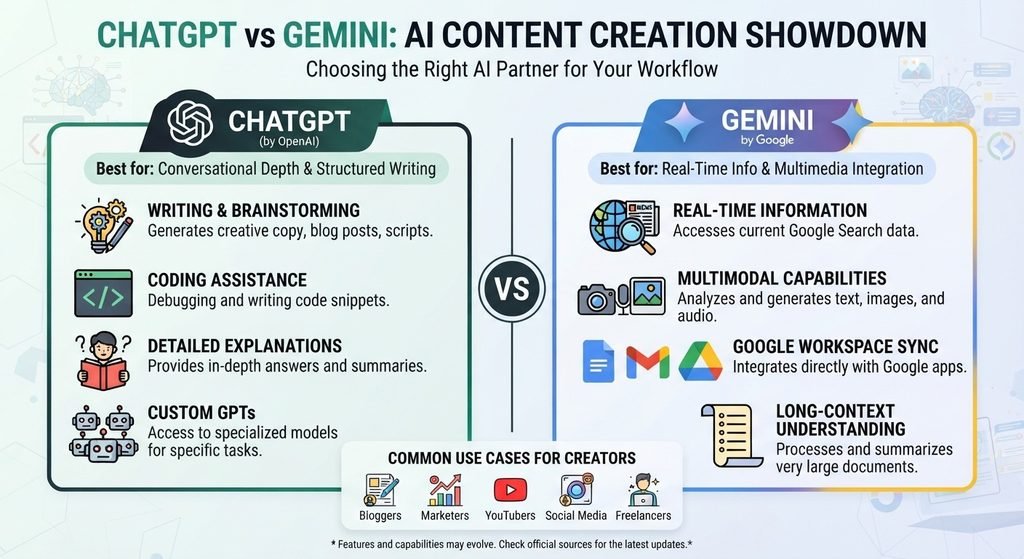
The ChatGPT vs Gemini debate is more complicated than choosing one universal winner.
Both platforms have developed into broad AI assistants capable of supporting much more than basic writing.
ChatGPT can be useful for creators who want a flexible environment for brainstorming, writing, editing, analysis, visual creation, file work, and content workflows.
Gemini can be particularly useful for creators who already rely heavily on Google’s ecosystem and want AI assistance integrated with services such as Google Docs, Drive, Sheets, Slides, and Google Search-based research.
For serious content creators, the most important question may not be:
“Which AI is better?”
Instead, ask:
“Which AI workflow helps me consistently create useful, original, accurate, and valuable content for my audience?”
That is the question that matters most.
AI can help you move faster, but the strongest content still needs human direction.
Use AI for ideas, research assistance, structure, editing, and production. Then add your own expertise, experience, examples, opinions, and original insights.
The result should not simply be “AI-generated content.”
It should be better content created with AI assistance.
SEO Keywords for This Article
Primary keyword:
ChatGPT vs Gemini
Secondary keywords:
ChatGPT vs Gemini 2026, ChatGPT vs Gemini for content creation, ChatGPT vs Gemini for blogging, ChatGPT vs Gemini for SEO, ChatGPT vs Gemini for writers, ChatGPT vs Gemini comparison, ChatGPT or Gemini, ChatGPT vs Google Gemini, best AI for content creation, best AI writing tool 2026, best AI for bloggers, AI tools for content creators, AI writing tools, AI content creation tools, ChatGPT content creation, Gemini content creation, ChatGPT SEO, Gemini SEO, AI tools for bloggers, AI tools for SEO, AI tools for writers, AI research tools, AI blogging tools, AI content writing, AI content generation, ChatGPT blog writing, Gemini blog writing, ChatGPT for SEO content, Gemini for SEO content, best AI assistant for writers, best AI assistant for bloggers, AI tools for digital marketing, AI tools for social media content, AI tools for YouTube creators, AI tools for marketers, content creation with AI, artificial intelligence content creation
You can read also : 20 Best AI Tools in 2027: The Ultimate Guide for Creators & Businesses